Darkroom print notes · iPhone and iPad
Print Log keeps everything about a darkroom print: negative, enlarger, contrast, paper and chemistry, and a map of every dodge and burn drawn on a photo of the print, with the times worked out for you.
 Scan with
01 · Draw
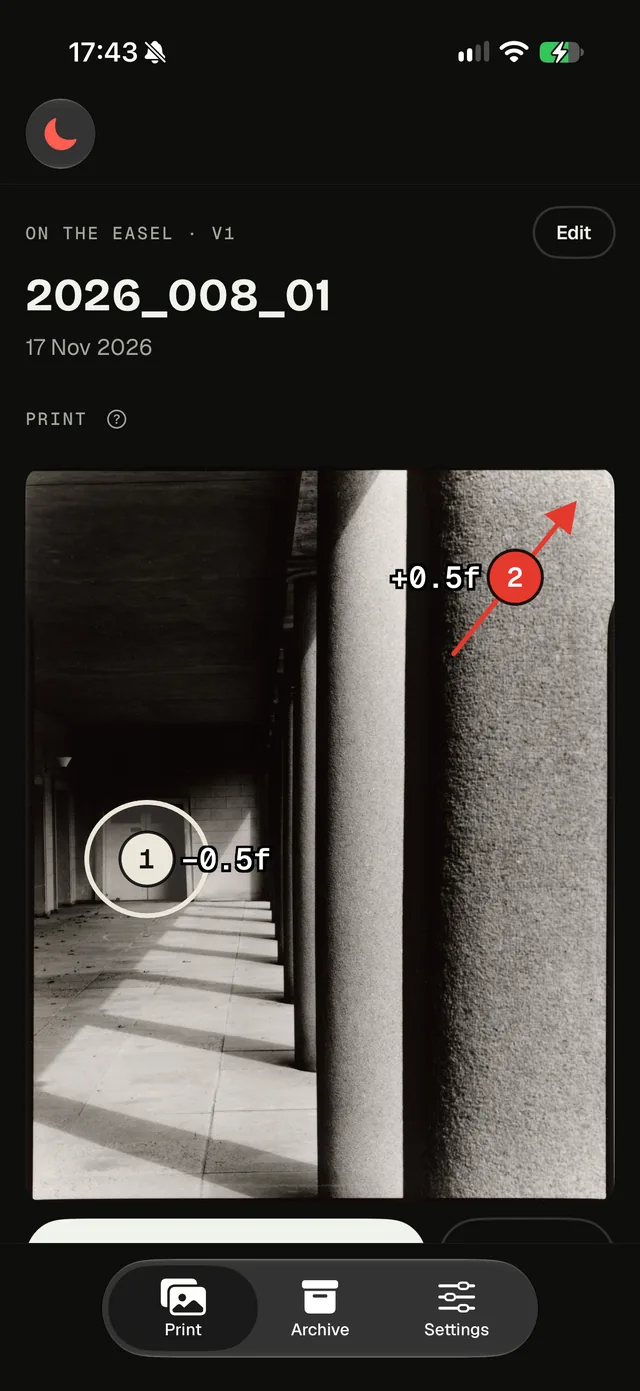
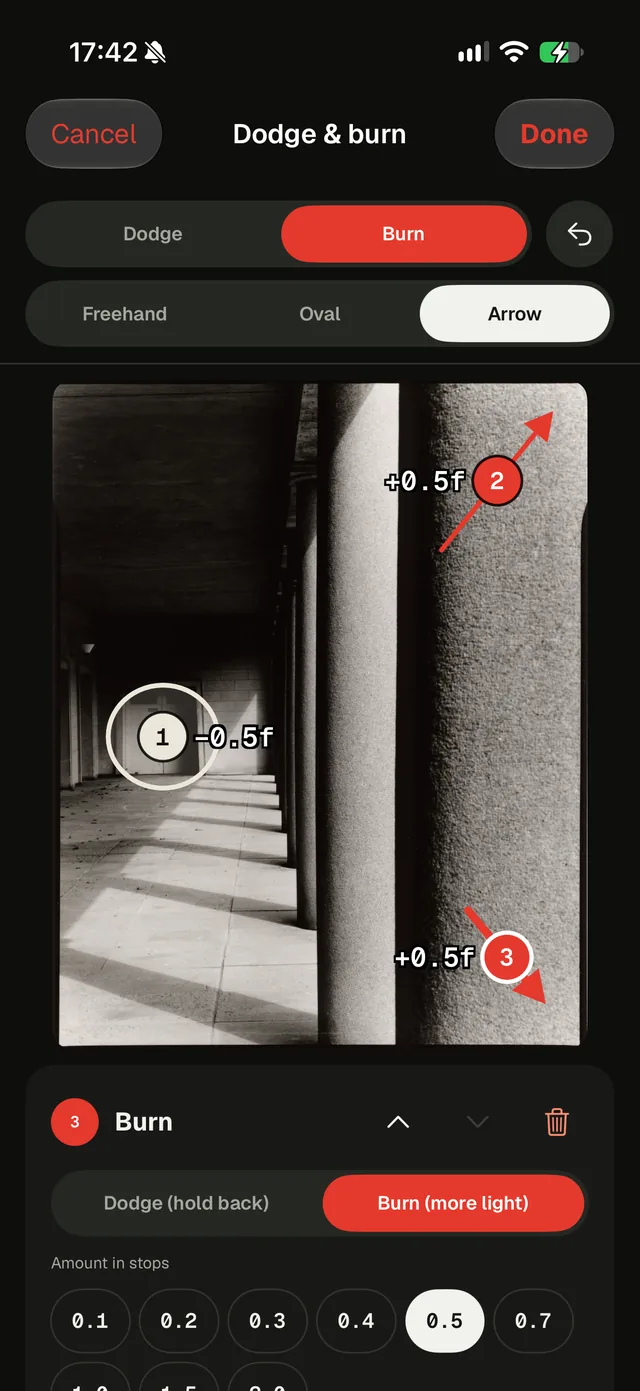
Take a picture of the work print or pick a scan, and draw ovals, lines, arrows or free shapes on it. No photo? Draw on a blank frame.
Give it an amount in f-stops or seconds and a note like "sky" or "left edge". Dodges come first in the list, burns after, and you can reorder them.
On iPad, double-tap the Pencil to switch between dodge and burn.
02 · Expose
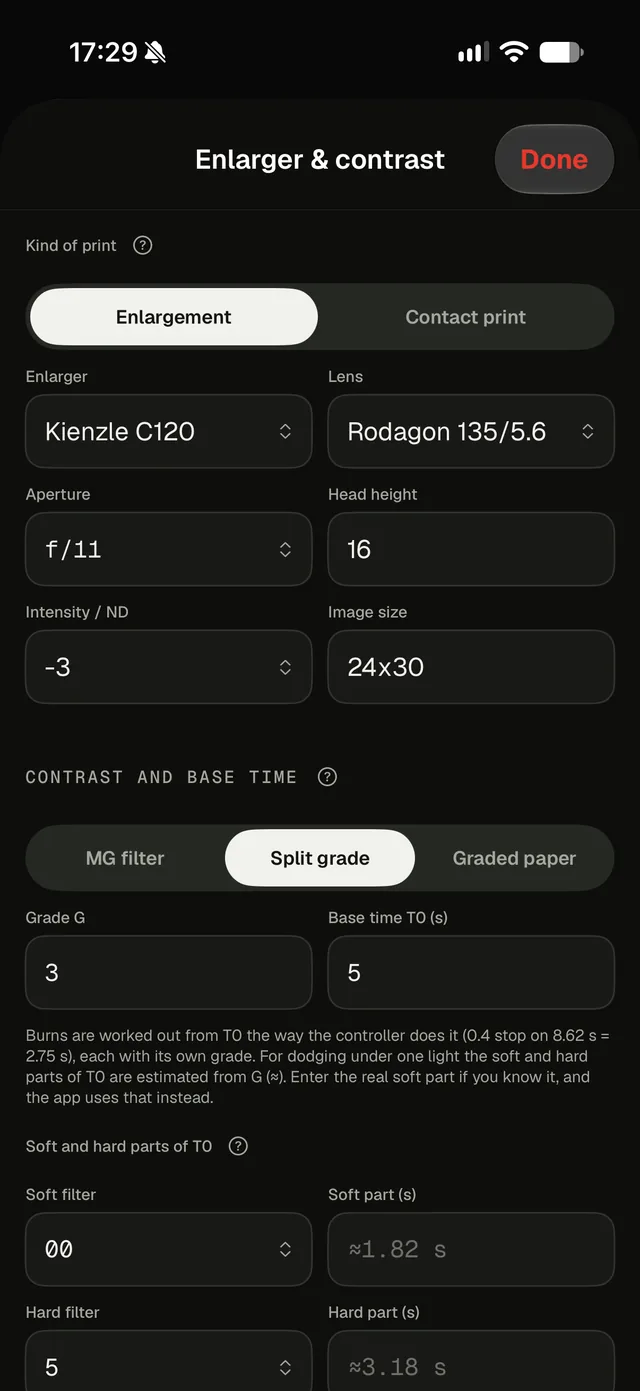
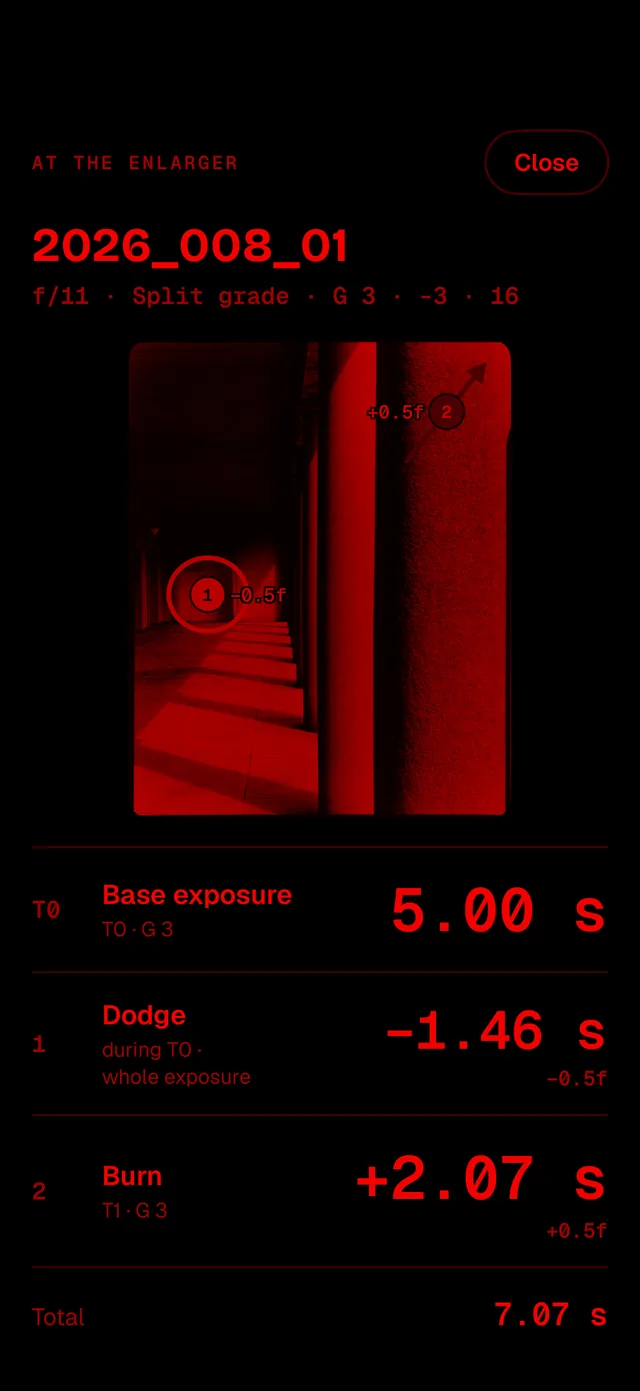
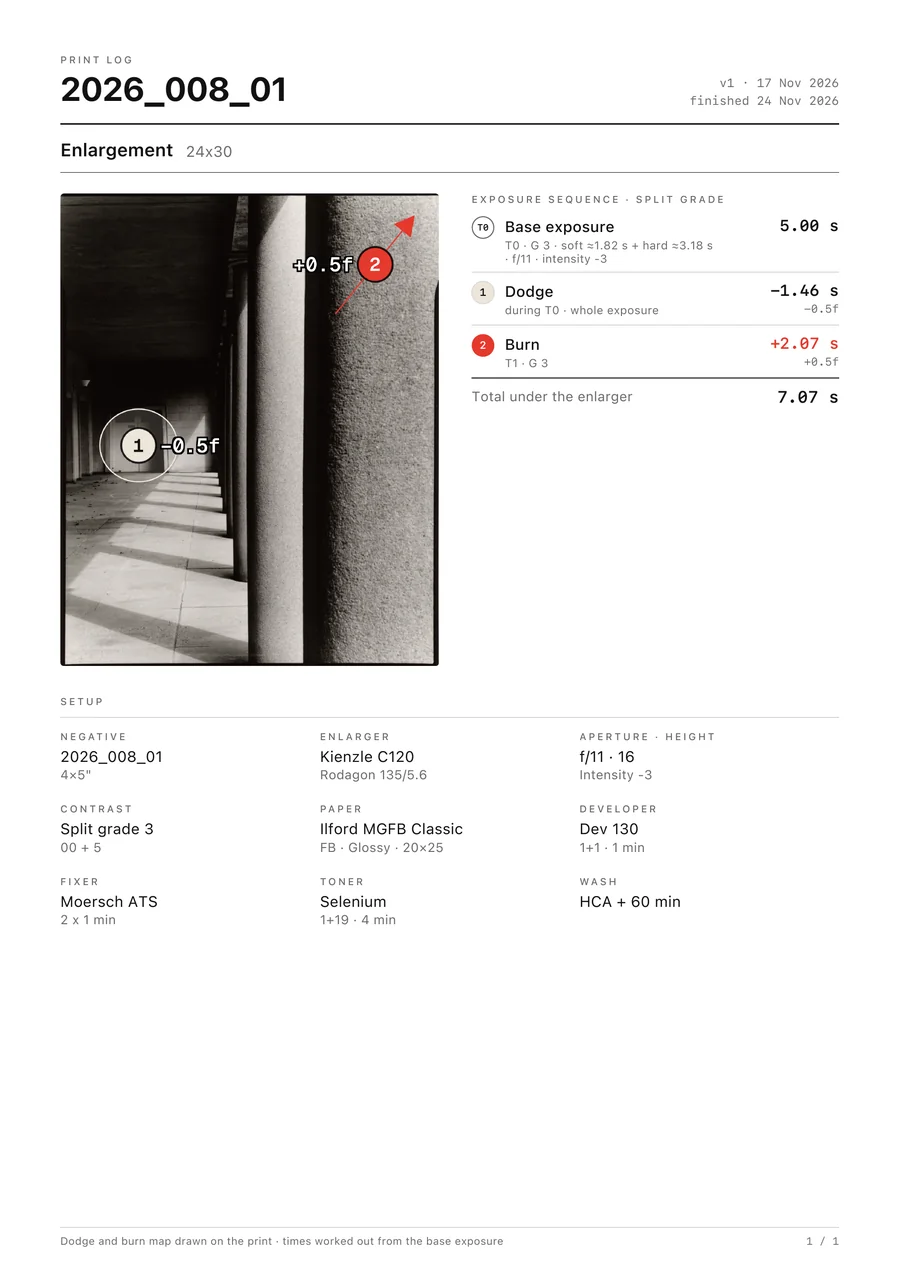
Base exposure, then every dodge and burn with its time and the total under the enlarger. Change the base time and everything follows.
Burns numbered T1, T2 … and worked out from T0 the way the Heiland Splitgrade does it, each with its own grade. MG filters and graded paper work too.
The sequence in large red numbers on black, screen kept on, for reading at the enlarger.
03 · Archive
v1, v2, v3 of the same negative, each with its own times. Start a new version from any print and change only what is different.
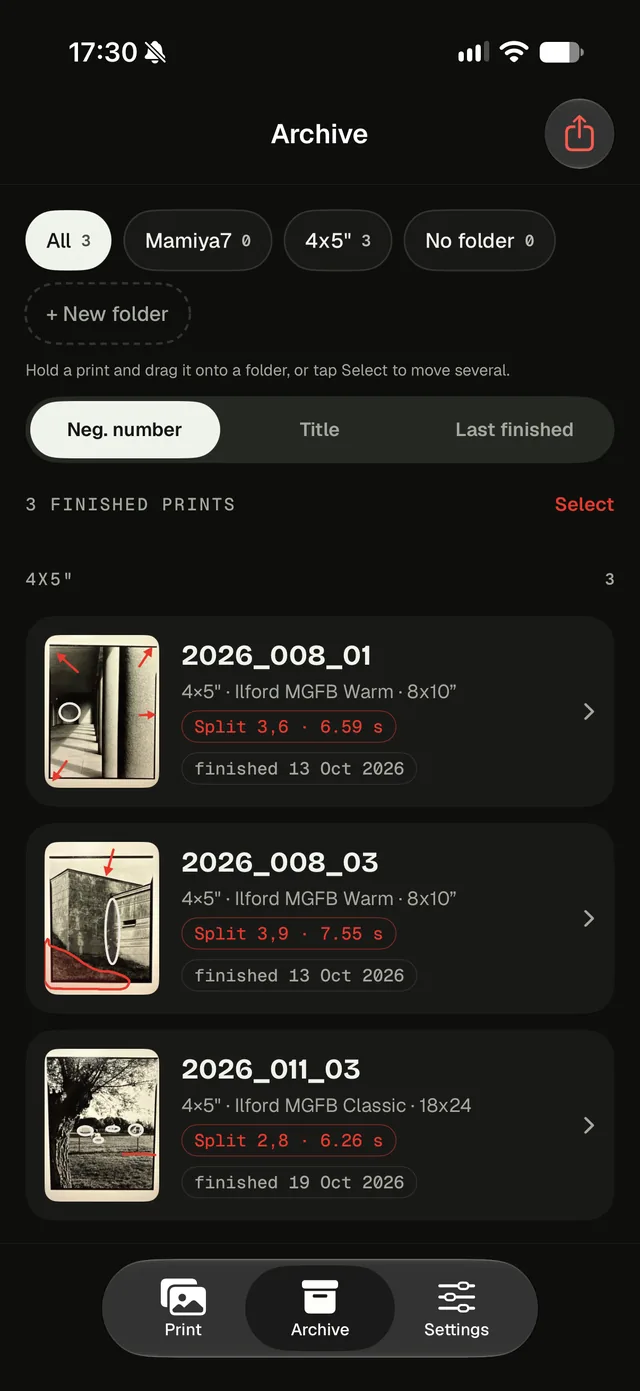
Mark a print finished and it moves to the archive. Sort by negative number, title or date, put prints in folders, search notes, paper or film.
A PDF card per print with the map, the sequence and the setup, to print and keep with the negatives. Or export the marked image, or all data as CSV.
Private
Open the app and start a print. Nothing to sign up for.
iPhone and iPad stay in sync through the private iCloud database of your Apple account. The developer can't see it.
No analytics, nothing sent anywhere else. Back up everything to a file whenever you like.
Print Log is a darkroom app for iPhone and iPad. It keeps everything about a print so you can make it again: negative, enlarger, contrast, paper and chemistry, and a map of every dodge and burn drawn on a photo of the print, with the times worked out in f-stops and seconds.
Yes. Enter the base time T0 and the grade, and burns are numbered T1, T2 … and worked out from T0 the way the Splitgrade controller does it. Dodges under only the soft or the hard light are estimated from the grade, or exact if you enter the soft part.
Both. Enter each step in f-stops or seconds and the app shows the other, worked out from your base time. Change the base time and every step follows.
Yes. Safelight view shows the exposure sequence in large red numbers on black and keeps the screen on. A phone screen is not a tested safelight, so keep the brightness low, turn the screen away from the paper and do your own fog test.
Both, with iCloud sync between them: draw on the iPad, read the times on the phone by the enlarger. Apple Pencil works for drawing.
Yes. Choose Contact print in the Enlarger card of a print.
Dark by default, for the darkroom. Choose Light, Dark or the iPhone's setting under Settings → Appearance.
Add your own under Settings, with base and surface for papers and dilution and time for chemistry. Picking a paper or developer on a print fills in its details.
On your devices and, if iCloud is on, in the private iCloud database of your own Apple account. The developer has no access to it. You can also back everything up to a file and restore it. Deleted prints stay in Recently deleted for 30 days.
Print Log is free during the launch. Later, new downloads will get five prints free and a one-time purchase for unlimited prints. If you download it now, the full version stays yours. It is made by one photographer in Malmö, Sweden; questions and ideas are welcome on the support page.
For iPhone and iPad. From the maker of Holder Log.
Scan with